
What to Know Before Installing or Mounting a Television at Home
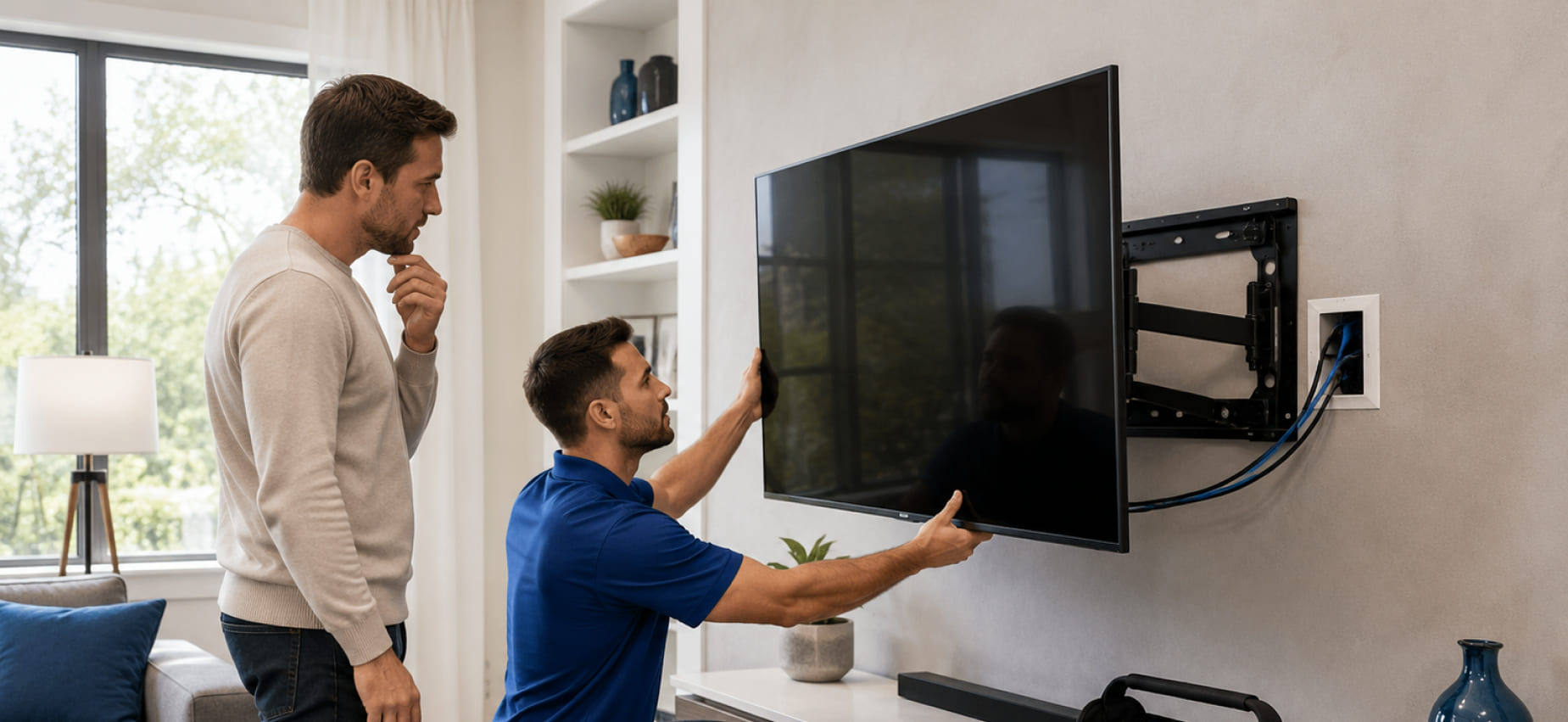
What to Know Before Installing or Mounting a Television at Home
A television often becomes the centerpiece of a living room, bedroom, office, or entertainment area. While selecting the right screen size and display technology receives plenty of attention, the installation itself plays an equally important role in creating a comfortable viewing experience. Proper planning can improve visibility, reduce cable clutter, and help the television fit naturally within the surrounding space.
Television mounting involves more than attaching a bracket to a wall. Factors such as wall construction, viewing distance, furniture placement, cable routing, and connected devices all contribute to the final result. Taking time to evaluate these details before installation can help avoid unnecessary adjustments later.
Choose the Right Location
The first decision is selecting where the television will be installed. Rather than choosing a wall based only on available space, consider how the room is used throughout the day.
Some helpful questions include:
- Where do people usually sit?
- Does sunlight create glare on the screen?
- Are electrical outlets nearby?
- Is there enough room for connected devices?
- Will the television be easy to view from different seating positions?
A well-planned location often provides a better viewing experience without requiring additional modifications later.
Select an Appropriate Viewing Height
One of the most common installation mistakes is mounting the television too high or too low.
A comfortable viewing position usually allows the center of the screen to remain close to eye level while seated. This helps reduce unnecessary neck movement during extended viewing sessions.
The ideal height depends on several factors, including:
- Television size
- Seating arrangement
- Room layout
- Viewing distance
Every room is different, making careful measurements worthwhile before installation begins.
Consider Wall Construction
Not every wall provides the same installation options.
Common wall types include:
- Drywall
- Wood framing
- Concrete
- Brick
- Metal stud construction
Each surface requires different mounting methods and hardware. Understanding the wall structure helps determine the most suitable installation approach while supporting the television securely.
Plan for Cable Management
Visible cables can distract from an otherwise clean entertainment area.
Before mounting the television, think about where power cords, HDMI cables, internet connections, gaming systems, and streaming devices will be located.
Planning cable routes in advance can help create:
- A cleaner appearance
- Easier equipment access
- Better organization
- Simpler future upgrades
Even a few minutes of preparation can make the completed installation look more organized.
Leave Space for Connected Devices
Modern televisions rarely operate alone.
Many households also connect:
- Streaming devices
- Gaming consoles
- Sound systems
- Blu-ray players
- Network equipment
- Media storage devices
Ensure these devices have adequate space and ventilation while remaining accessible for future maintenance or upgrades.
Think About Lighting
Room lighting has a noticeable effect on picture quality.
Large windows positioned directly opposite the television may create reflections during the day, while bright overhead lights can reduce screen visibility in the evening.
Simple adjustments such as changing the mounting position, using curtains, or modifying room lighting often improve viewing comfort without changing the television itself.
Verify Power and Connectivity
Before installation, confirm that essential connections are available near the chosen location.
This includes:
- Electrical outlets
- Internet access if required
- Cable or satellite connections
- Streaming equipment
- Audio system compatibility
Planning these details beforehand helps avoid unnecessary extension cords or equipment relocation after installation.
Consider Future Accessibility
Technology changes over time, and televisions may eventually require updates, additional devices, or maintenance.
Leaving reasonable access behind or around the television makes it easier to:
- Connect new devices
- Replace cables
- Perform cleaning
- Upgrade entertainment equipment
An installation that allows future accessibility is often more practical than one that prioritizes appearance alone.
Match the Mount to Your Requirements
Television mounts are available in different styles, each designed for specific viewing preferences.
Examples include:
- Fixed mounts
- Tilting mounts
- Full-motion mounts
- Articulating mounts
Choosing the right style depends on room layout, seating positions, and how frequently the television may need to be adjusted.
Safety Should Always Be a Priority
Large televisions represent a considerable amount of weight, making secure installation especially important.
Before mounting, verify that:
- The wall can support the equipment.
- Appropriate mounting hardware is used.
- The bracket matches the television’s specifications.
- Connections remain secure after installation.
Taking these precautions contributes to a more reliable installation and reduces unnecessary risk.
Planning Creates Better Results
Television installation is not only about attaching a screen to the wall. A successful setup considers viewing comfort, room layout, cable organization, connected equipment, and future accessibility. Careful planning before installation helps create a space that feels organized, functional, and enjoyable for everyday use.
When additional guidance is needed, an on-site consultation allows the installation environment to be evaluated before work begins. JS Electronics provides consultation-based assistance for TV mounting, home technology setup, network connectivity, smart home devices, and related on-site services. Every consultation begins by reviewing the property’s layout and installation requirements, allowing suitable service options to be discussed based on the location, equipment, and individual needs of each customer.