Simple Ways to Keep Home and Office Technology Running Smoothly
Simple Ways to Keep Home and Office Technology Running Smoothly
Technology supports nearly every part of modern life. From computers used for work and education to printers, Wi-Fi networks, smart home devices, and office equipment, reliable performance often depends on consistent care rather than waiting for problems to appear. While no device can operate perfectly forever, a few practical habits can help reduce interruptions and support everyday productivity.
Looking after technology doesn’t always require complicated procedures or specialized knowledge. Small, regular actions often make the biggest difference over time.
Keep Devices Clean and Well Ventilated
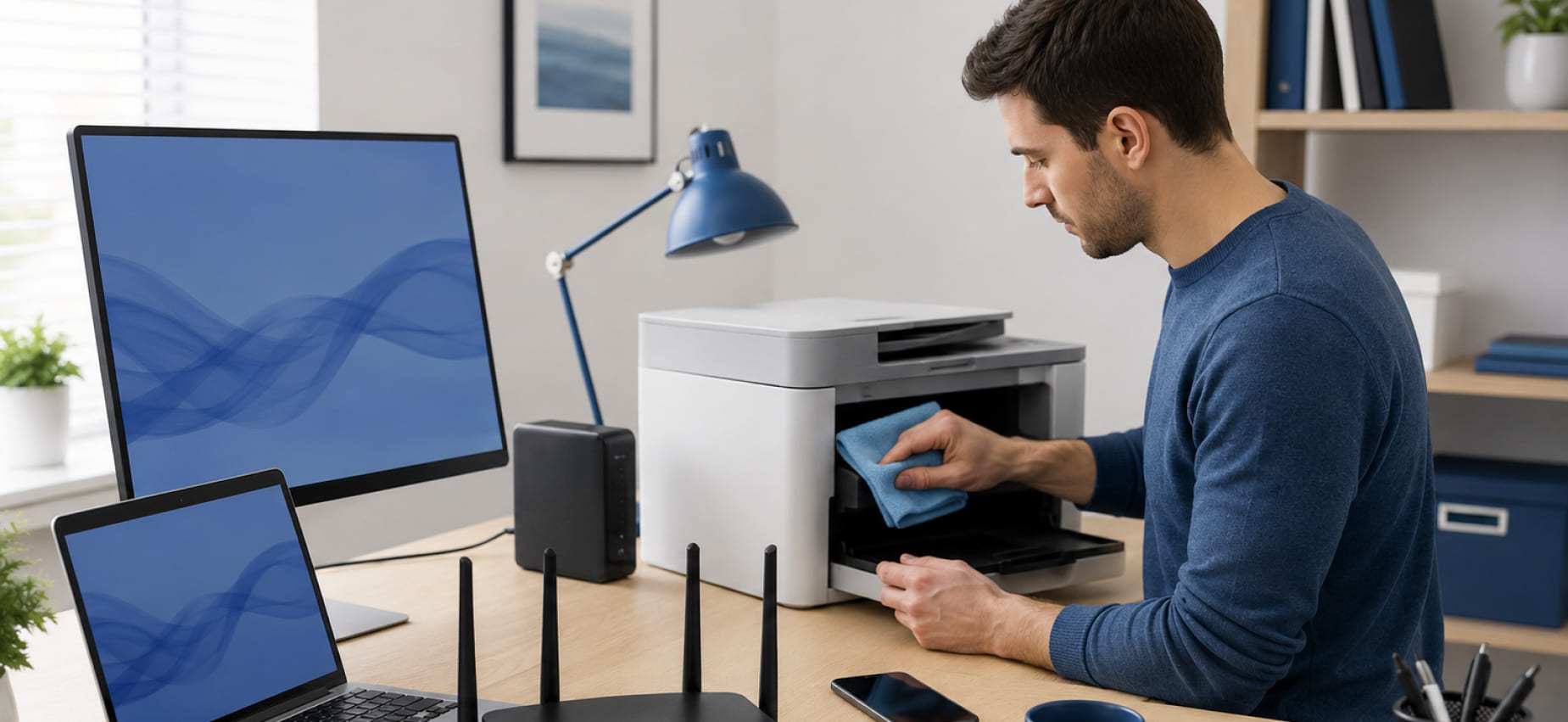
Dust may seem harmless, but it can gradually affect the performance of electronic equipment. Computers, printers, networking devices, and entertainment systems all rely on proper airflow to regulate internal temperatures.
Blocked ventilation openings may contribute to excessive heat, while accumulated dust can interfere with moving components or cooling systems.
Simple practices include:
- Keeping air vents unobstructed
- Wiping exterior surfaces with suitable cleaning materials
- Removing dust from surrounding areas
- Avoiding placement in confined spaces with limited airflow
A clean environment benefits both the equipment and the workspace itself.
Organize Cables and Connections
Loose or tangled cables often become overlooked until a device suddenly stops communicating with another.
Network cables, printer connections, display cables, and power cords should remain secure and organized. Labeling frequently used connections can also simplify future maintenance or equipment relocation.
Cable organization offers additional advantages:
- Easier troubleshooting
- Reduced accidental disconnections
- Improved workplace safety
- Cleaner desk or entertainment areas
Small improvements in cable management often make daily technology use much more convenient.
Keep Software Up to Date
Many devices rely on software updates to improve compatibility, introduce new features, or address known issues.
Computers, smart devices, printers, routers, and connected appliances may periodically receive updates from their manufacturers.
Rather than postponing updates indefinitely, consider reviewing them regularly during convenient times to minimize disruption.
Before installing major updates, it’s also helpful to save important work and create backups whenever possible.
Protect Important Files
Technology performs an important function, but information stored on that technology is often even more valuable.
Documents, photographs, financial records, business files, and personal projects deserve protection through regular backups.
Depending on individual preferences, backups may include:
- External storage devices
- Cloud storage services
- Network storage systems
- Multiple backup locations
Maintaining more than one copy of important information reduces the impact of unexpected hardware or software issues.
Monitor Network Performance
A stable internet connection influences everything from video meetings to smart home automation.
If network performance changes unexpectedly, consider checking:
- Router placement
- Connected devices
- Signal coverage
- Physical cable connections
- Recent configuration changes
Moving a router away from heavy obstructions or electronic interference can sometimes improve wireless coverage throughout a property.
Regularly reviewing network performance also helps identify gradual changes before they become larger concerns.
Give Equipment Enough Working Space
Technology generates heat during normal operation.
Computers placed inside enclosed cabinets, routers hidden behind furniture, or appliances positioned without proper clearance may experience reduced airflow.
Whenever possible:
- Leave space around ventilation areas.
- Avoid stacking electronics unnecessarily.
- Keep equipment away from excessive moisture.
- Follow installation recommendations provided by manufacturers.
Creating an appropriate operating environment supports more consistent performance.
Use Devices Within Their Intended Purpose
Every device is designed with particular operating conditions in mind.
For example:
- Office printers are often intended for specific monthly workloads.
- Home networking equipment may have limitations based on connected devices.
- Smart home products depend on compatible systems.
- Computers vary according to their intended applications.
Understanding how equipment is designed to operate can help set realistic expectations while reducing unnecessary strain.
Schedule Preventive Maintenance
Technology rarely shifts from perfect operation to complete failure without warning. Small changes often appear first.
Examples include:
- Slower response times
- Unusual sounds
- Inconsistent connections
- Increased paper handling interruptions
- Network instability
- Changes in appliance performance
Addressing these changes early may help prevent larger disruptions later.
Periodic maintenance provides an opportunity to inspect equipment, review configurations, and identify areas that may require attention before they begin affecting daily activities.
Create Better Technology Habits
Good habits contribute to long-term reliability.
Consider adopting routines such as:
- Restarting devices periodically
- Organizing digital files
- Removing unnecessary clutter from storage
- Checking available storage space
- Reviewing connected devices
- Keeping workspaces clean
- Recording important passwords securely
- Testing backup systems occasionally
Individually, these actions require very little time. Together, they help create a more organized technology environment.
Technology Works Best With Consistent Attention
Every home and workplace depends on technology differently. Some environments focus on business printing, while others rely on home computers, smart devices, entertainment systems, or connected appliances. Despite these differences, consistent maintenance remains one of the simplest ways to encourage dependable day-to-day operation.
When equipment requires a closer evaluation, an on-site consultation offers an opportunity to review the environment, discuss concerns, and assess the equipment directly. JS Electronics provides consultation-based on-site assistance for residential and business customers seeking help with computers, printers, smart home devices, network connectivity, TV mounting, household appliances, preventive maintenance, and business printing environments. The process begins with understanding the situation, followed by scheduling an on-site visit when appropriate, allowing recommendations to reflect the equipment, location, and individual service requirements rather than assumptions.